Example: Draw polygon with bkoi-gl
Introduction
This project demonstrates how to integrate a map using the bkoi-gl library and allows users to add, update, and delete polygon layers interactively.
Before using this project, ensure the following:
- Node.js: Installed on your system.
- API Key: Obtain a valid Barikoi API key from Barikoi.
- Bkoi-gl package: The polygon drawing tool works only with version 2.0.2 or later. Please ensure using latest version.
Example
'use client';
import { useEffect, useRef } from 'react';
import { Map } from 'bkoi-gl'; // Import Package
import 'bkoi-gl/dist/style/bkoi-gl.css'; // Import CSS

const MainMap = () => {
  const mapContainer = useRef(null);
  const map = useRef(null);

  useEffect(() => {
    if (map.current) return; // Ensures map initializes only once

    // Initialize the map
    map.current = new Map({
      container: mapContainer.current,
      center: [90.39017821904588, 23.719800220780733], // Dhaka coordinates
      zoom: 10,
      doubleClickZoom: false,
      accessToken: '< Barikoi API key >', // Replace with your
      // Barikoi API key
      polygon: true, //Enable Polygon Drawing
    });
    // Listen to events
    map.current.on('draw.create', (e) => {
      console.log('Polygon created:', e.features);
    });

    map.current.on('draw.update', (e) => {
      console.log('Polygon updated:', e.features);
    });

    map.current.on('draw.delete', (e) => {
      console.log('Polygon deleted:', e.features);
    });
  }, []);

  return <div ref={mapContainer} style={containerStyles} />;
};

// JSX Styles
const containerStyles = {
  width: '100%',
  height: '100vh',
  minHeight: '400px',
  overflow: 'hidden',
};

export default MainMap;
How it will look after implementation
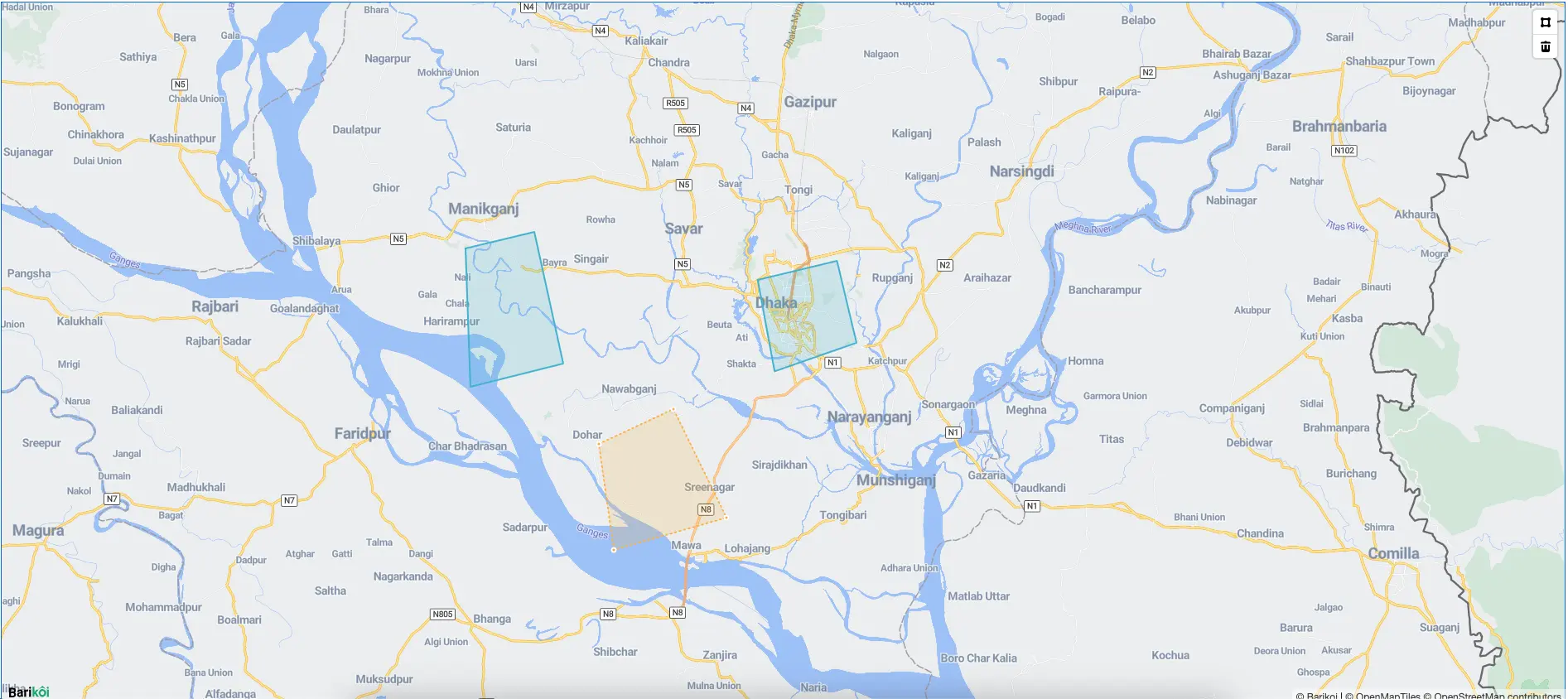
Enable Polygon Drawing
The polygon property in the map configuration enables polygon drawing functionality. When enabled, users can draw polygons directly on the map interface.
Listen to Polygon Events
The map listens for three main events related to polygons:
- draw.create: Triggered when a new polygon is created. Example:
map.current.on('draw.create', (e) => {
  console.log('Polygon created:', e.features);
});
- draw.update: Triggered when an existing polygon is updated. Example:
map.current.on('draw.update', (e) => {
  console.log('Polygon updated:', e.features);
});
- draw.delete: Triggered when a polygon is deleted. Example:
map.current.on('draw.delete', (e) => {
  console.log('Polygon deleted:', e.features);
});